Compare finds regressions between two completed runs. One run is the proposed candidate and the other is the known baseline.
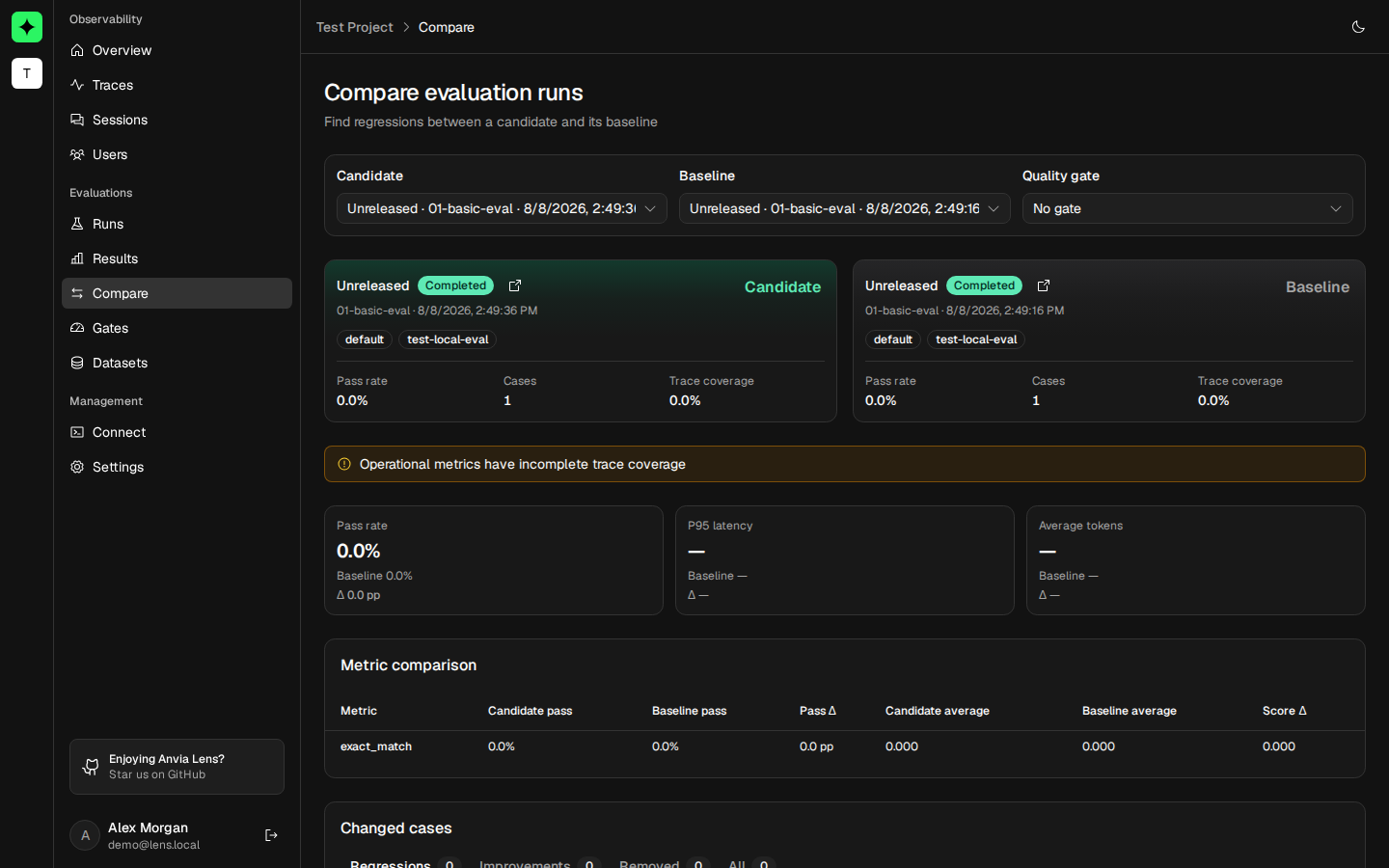
Example: compare a policy release
Run:
pnpm example:anvia:releaseThe command prints baseline and candidate run IDs for the same support-release-readiness suite and
environment. Open Evaluations → Compare, select the candidate ID in the first selector and the
baseline ID in the second.
Expected result: the identity cards show different release names but matching suite and
environment. The metric table shows the candidate’s policy-fact-present result against the
baseline, and changed cases identify which policy answers improved or regressed.
Compatibility rules
Both runs must be completed and use the same suite name and environment. Release and dataset version may differ; those differences are often the reason for the comparison.
The run selector lists completed runs. After choosing a candidate, the baseline selector narrows to compatible runs. Selecting two rows from Runs assigns the earlier execution as baseline and the later execution as candidate automatically.
Read run identity
The candidate and baseline cards show release or Unreleased, run status, suite, timestamp, environment, service, dataset version, pass rate, cases, and trace coverage. Always verify these identities before interpreting a delta.
Read aggregate deltas
The summary compares:
- Overall pass rate.
- P95 trace latency.
- Average total tokens.
Each value includes candidate, baseline, absolute delta, and percentage change when calculable. Warnings explain incomplete or mismatched source data that does not make the comparison invalid but should affect confidence.
Compare metrics
The metric table aligns each named evaluator across both runs. It reports result counts, pass rate, average score, and changes. A metric present in only one run remains visible rather than being silently dropped.
Inspect changed cases
Changed cases are classified as regression, improvement, new failure, or removed. Tabs show each class separately and link back to candidate and baseline traces where available.
Case-level changes compare the same case ID and metric name. Renaming either can make a case appear new or removed instead of changed.
Apply a gate
Choose a quality gate that matches the candidate suite and environment. The comparison evaluates minimum case count and every configured rule, producing Pass, Fail, or Insufficient data. The verdict is calculated by Lens but does not deploy or block a release on its own.