A quality gate is a project-scoped policy for one evaluation suite and environment. Apply it while comparing a candidate with a baseline to obtain a release verdict.
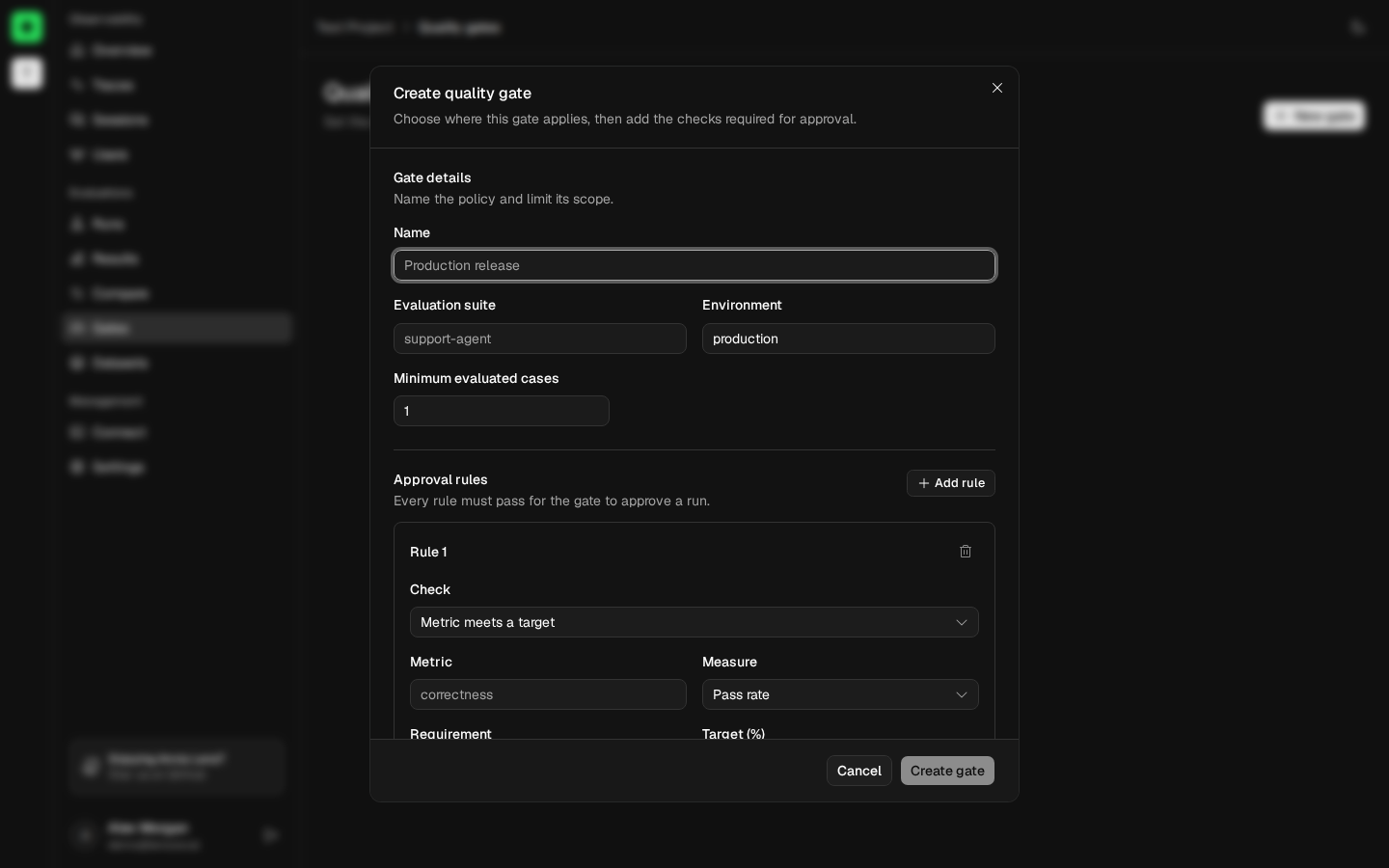
Owners and admins can create, edit, and delete gates. Members can view gates and their comparison verdicts.
Example: require correct policy answers
After running pnpm example:anvia:release, create a gate with these values:
| Field | Value |
|---|---|
| Name | Support policy release |
| Suite | support-release-readiness |
| Environment | The environment configured by the example |
| Minimum evaluated cases | 2 |
| Rule | policy-fact-present pass rate is at least 100% |
Open Compare, select the example’s candidate and baseline, then apply the gate.
Expected result: Lens shows Pass only when both candidate cases have usable passing results. A missing metric, incomplete case count, or unavailable comparison value produces Insufficient data, not approval.
Define gate scope
Give the gate a unique, recognizable name, then enter the exact suite name and environment emitted by evaluation instrumentation. A gate appears in Compare only when its scope matches the selected candidate.
Set Minimum evaluated cases to prevent a small or incomplete run from being approved. The allowed range is 1 to 1,000,000 cases.
Add approval rules
Every gate requires at least one rule, and every rule must pass for the final verdict to pass. A gate supports up to 25 rules.
Metric meets a target
Require a named metric’s pass rate or average score to be at least or at most a fixed value. Pass rate is entered as a percentage in the UI.
Metric change stays within a limit
Limit how far a named metric’s pass rate or average score may decrease or increase relative to the baseline. Pass-rate change is expressed in percentage points.
Operational metric stays within a limit
Limit the candidate’s percentage increase in P95 trace latency or average total tokens.
Interpret verdicts
- Pass means minimum case count and every rule passed.
- Fail means at least one check exceeded its allowed value.
- Insufficient data means Lens could not calculate one or more required checks.
The verdict panel explains every rule and displays candidate and baseline values. Investigate insufficient data rather than treating it as approval.
Use a gate in releases
Select the gate on Compare. Lens evaluates the policy for the chosen runs. Your deployment or review process must consume that decision operationally; creating a gate does not automatically stop a deployment.