The Datasets area has two related sources: Observed data reconstructed from evaluation telemetry and Managed data curated and versioned inside Lens.
Example: publish the support cases
- Run
pnpm example:anvia:evalwith full capture enabled by the synthetic example. - Open Evaluations → Datasets → Observed and select
support-policy-cases@v1. - Confirm that
refund-window,billing-owner, andexport-retentionhave captured input and expected values with no conflicts. - Choose Save as managed, keep the dataset name, and publish the populated
v1draft. - Run
pnpm example:anvia:dataset.
Expected result: the command prints dataset: support-policy-cases@v1 and creates a completed
managed-support-policy-regression run. Its cases come from the immutable published version rather
than an array embedded in the evaluation script.
Observed datasets
An observed dataset groups evaluation runs by reported dataset name and version. Search the list, then open a dataset route to inspect versions, completion status, case count, run count, first and last seen time, and canonical run.
Each case reports its ID, captured payload state, and whether conflicting runs supplied different payloads. The detail page also lists associated runs.
An observed version is:
- Complete when every case has a usable captured payload and no conflicts.
- Incomplete when one or more payloads are missing.
- Conflict when the same case ID produced incompatible payloads.
Save observed data as managed
Owners and admins can import a complete, conflict-free observed version. Every case must have a captured payload. Choose a managed dataset name, optional description and metadata, and an initial version label.
The import creates a managed dataset and draft populated with the observed cases. Resolve incomplete or conflicting source data in instrumentation and run the suite again before importing.
Create a managed dataset
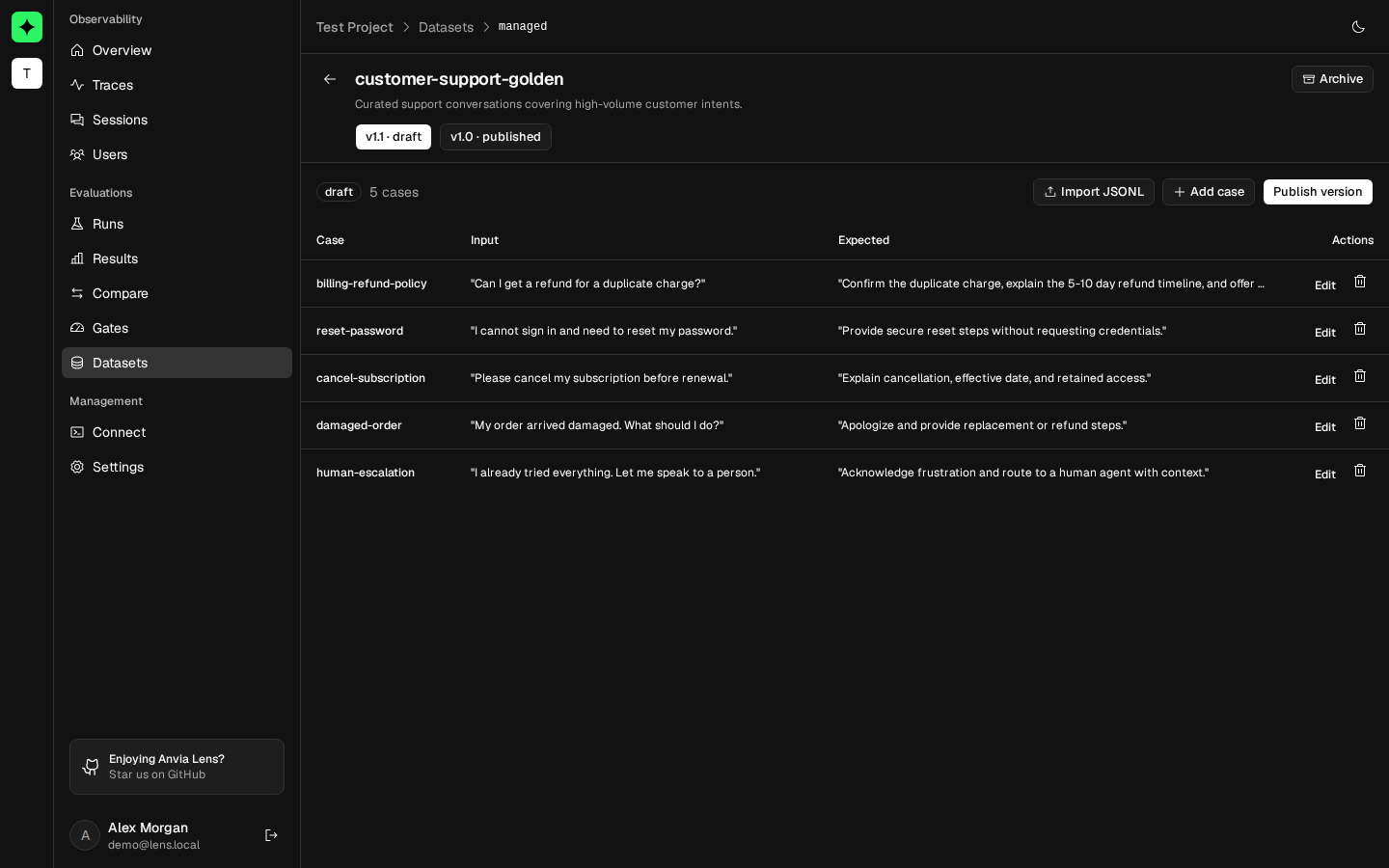
Create a managed dataset directly when cases do not originate from telemetry. The dataset stores a name, optional description, and JSON metadata. A dataset can contain multiple version records and at most one active draft.
Edit a draft
Only drafts are editable. Add or update cases with:
- A unique case ID.
- JSON input.
- Optional expected JSON.
- Optional context and retrieval-context string arrays.
- Optional JSON metadata.
Import newline-delimited JSON to add many cases at once. Every line must describe a valid case, and case IDs are compared case-insensitively for duplicates. One import accepts up to 10,000 cases.
Deleting a case affects only the active draft.
Publish a version
A draft must contain at least one case before publishing. Publishing makes the version immutable and records its publication time. Evaluation code can request a specific published version for reproducibility or use the latest published version.
Create another draft when the dataset needs to change. Do not edit test data in application code while claiming the same managed version.
Archive a dataset
Deleting a managed dataset from the UI archives it so it no longer appears in the active list. Runs that already reference a published dataset version keep their recorded dataset context.
Permissions
All project members can view observed and managed datasets. Creating, importing, editing, publishing, and archiving managed data requires owner or admin access.