Sessions group traces that share a sessionId. Use them for conversations, long-running workflows,
or any product interaction that spans more than one trace.
Example: follow a support interaction
Run:
pnpm example:anvia:contextOpen Sessions and search for example-session-1001. Open the row, then follow its trace link to
the support-ticket-summary operation.
Expected result: the session is associated with example-user-42 and includes the captured
support request and agent response. Reusing this session ID on later requests appends more traces to
the same chronological interaction.
Populate sessions
Set a stable session identifier in application instrumentation. Lens does not infer sessions from time proximity or prompt content. Traces without a session identifier remain available in the trace explorer but do not appear as a session.
Find a session
Search by session ID or user ID. Filter by status, user, environment, service, model, and tags, then sort or adjust pagination from the table. A session is marked as error when one or more of its aggregated traces failed.
Each row summarizes trace and span counts, start and last-seen time, duration, input/output/total tokens, and calculated cost.
Read the conversation
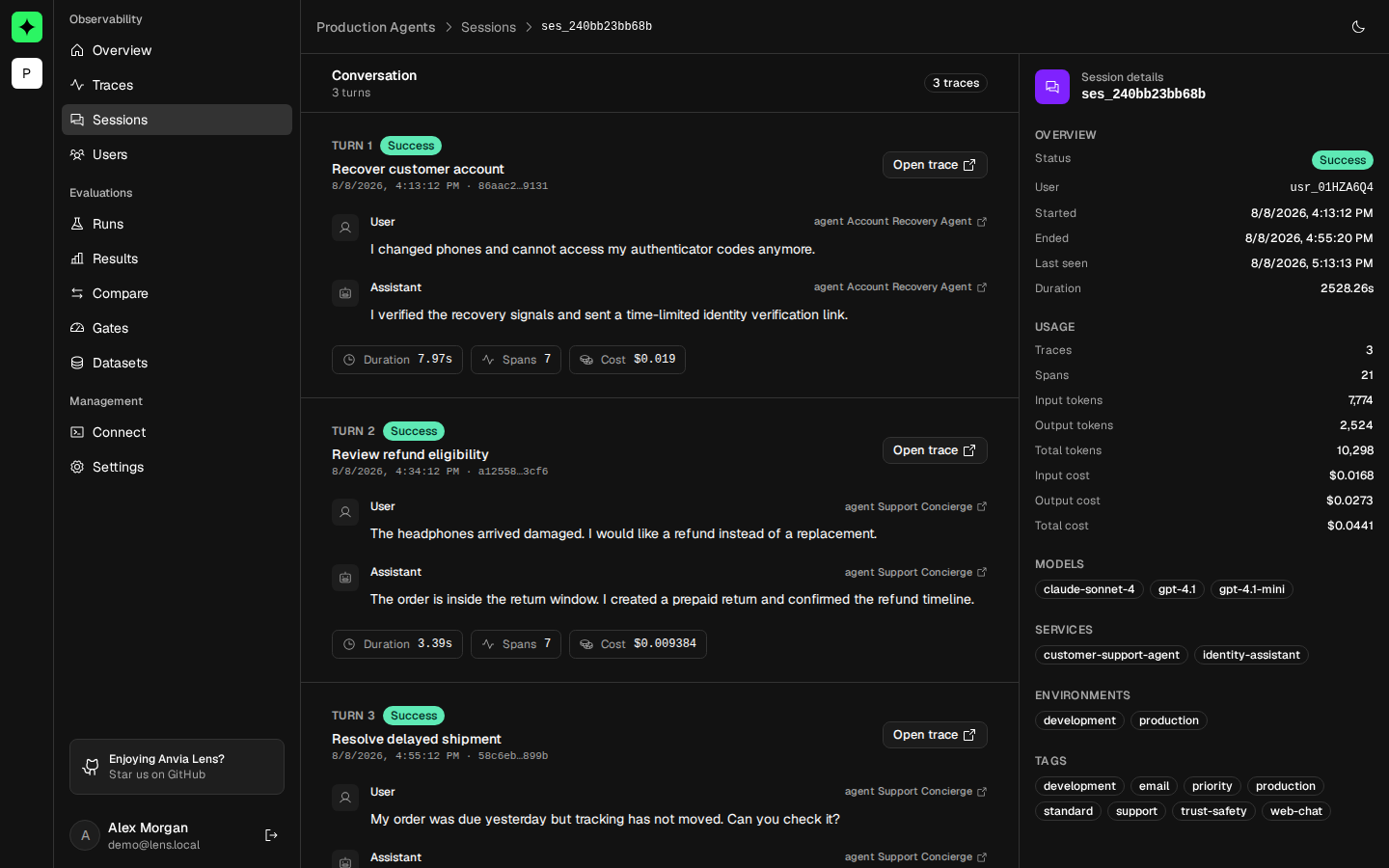
Open a session to see its traces in chronological order. When captured payloads contain supported message shapes, Lens extracts user and assistant messages into a conversation view. Arbitrary JSON remains available and is not discarded when it cannot be rendered as a message.
Every turn links back to its source trace. Use that link when the conversation reveals the problem but the exact tool, generation, or error must be inspected.
Review session metadata
The detail page reports status, user, start, end, last-seen time, duration, traces, spans, tokens, and cost. Models, services, environments, and tags are aggregated across all traces in the session.
If conversation content is absent, confirm that full payload capture is appropriate and enabled in the application. Identifiers and aggregate metrics remain useful even with safe capture.