Cost Settings applies organization-wide USD prices per one million tokens. Matching configured prices override costs reported by telemetry.
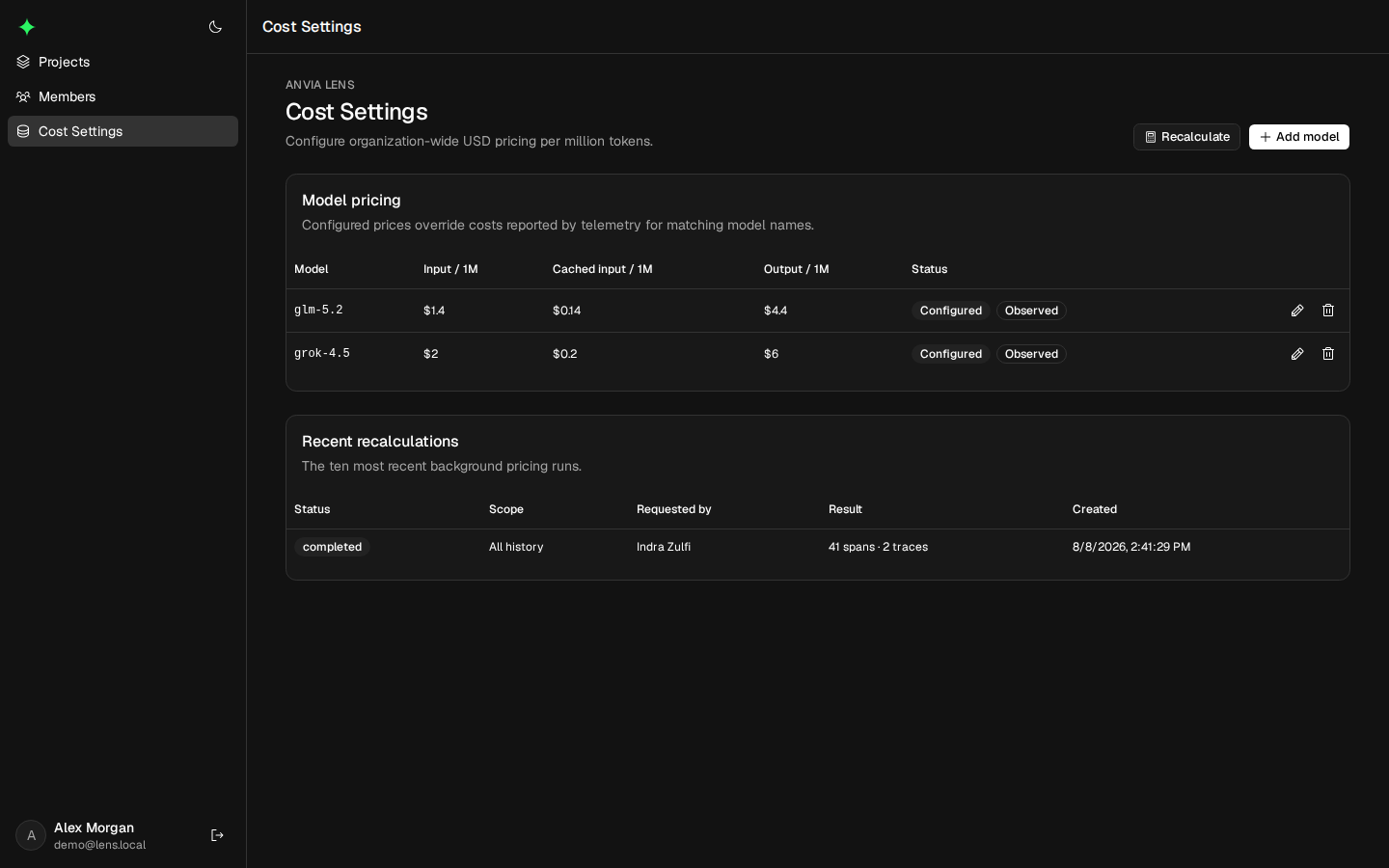
Example: price an observed model
Suppose your provider charges an illustrative $0.50 per million input tokens and $1.50 per million
output tokens for example-model-v1. Add that exact observed model name and those two rates. Leave
cached input empty to use the input rate, then save.
A generation with 800 input and 200 output tokens would calculate to $0.0007:
(800 × $0.50 / 1,000,000) + (200 × $1.50 / 1,000,000) = $0.0007Expected result: future generations with the exact example-model-v1 name use the configured
rates. Choose Recalculate for a historical range if existing traces must use them too. The values
above demonstrate the calculation only; enter the actual prices from your provider contract.
Discover models
Model names observed in generation telemetry appear automatically. An observed model without a configured price is marked Unconfigured. You can also add a model before any trace uses it.
Names must match the normalized model name in telemetry. Configure aliases separately when a provider reports multiple distinct names.
Configure token prices
For each model, set:
- Input price per one million tokens.
- Cached-input price per one million tokens, or leave it empty to use the input rate.
- Output price per one million tokens.
Editing a configured price affects future calculation. Removing it leaves historical costs unchanged; future telemetry keeps its reported cost until the model is configured again.
Recalculate historical costs
Select Recalculate after adding or changing model prices. Choose an optional date range or apply the price snapshot across available telemetry. Recalculation runs in the background and covers all projects in the organization for matching models.
Only one recalculation can be queued or running at a time. At least one configured model price is required. The Recent recalculations table shows queued, running, completed, or failed status and the selected range.
The job uses a snapshot of prices taken when it was requested, so later edits do not change an already-running recalculation.
Diagnose missing cost
Confirm that the generation has a model name and normalized token counts, then check for an exact configured model match. If older rows remain incorrect, run a recalculation for a range that includes their timestamp.